
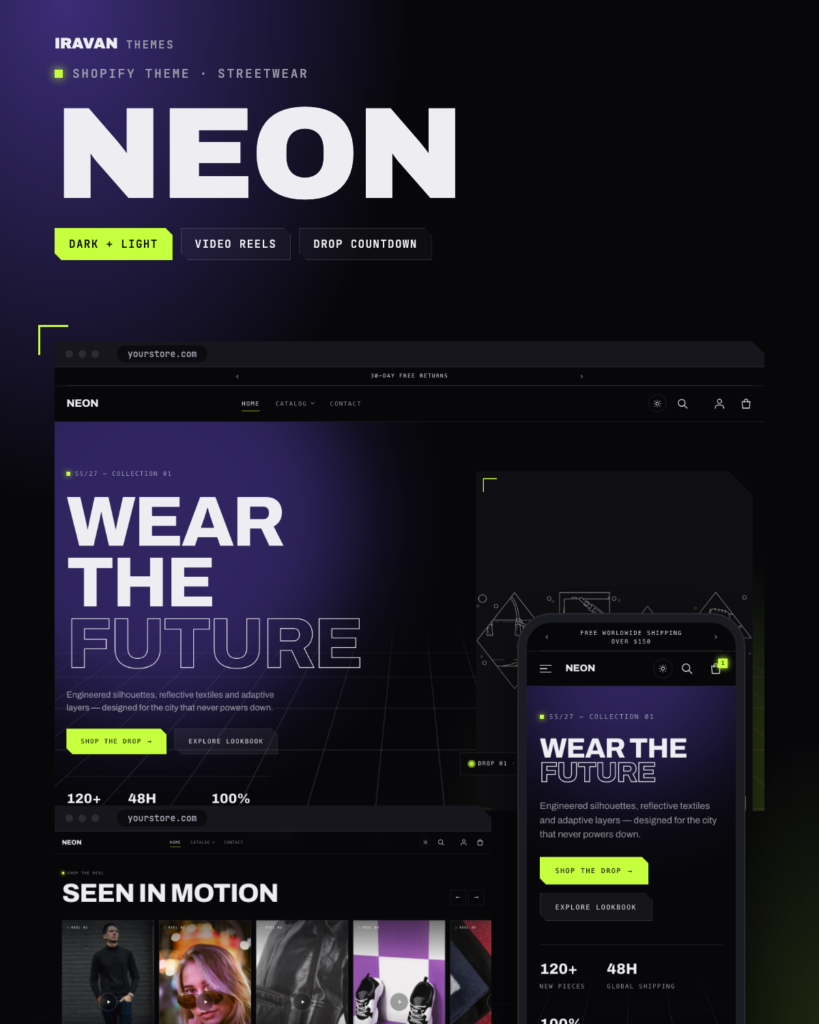
A streetwear drop is a short, intense sales window. Hype builds before launch, stock sells fast, and the people who missed out want to know when it’s back. Many Shopify stores stitch this together with several apps: one for the countdown, one for the waitlist, one for pre-orders and one for restock alerts. A theme built for drops can handle most of it on its own. Here is how each stage works in NEON.
1. Before the drop: countdown and waitlist
NEON’s drop countdown section shows a launch timer with a waitlist signup next to it. Put it on the homepage a few days early, share the link, and collect emails from people who want to be first. The announcement bar and scrolling marquee repeat the launch date across every page.
2. Taking orders before stock arrives: pre-order
If the product isn’t in your warehouse yet, NEON can sell it as a pre-order. In Shopify, turn on Track quantity and Continue selling when out of stock for the product. The theme then shows a pre-order button and a pre-order note, so shoppers know when it will ship.
3. Launch day: urgency without tricks
- Low-stock message: “Only 3 left” appears when stock falls below a number you choose, based on real inventory.
- Sticky add-to-cart bar keeps the buy button in view while shoppers scroll.
- Express checkout with Shop Pay and other buttons next to Add to cart.
- Slide-out cart with a free-shipping progress bar, cross-sells, an order note and gift wrap.
4. Sold out: keep the demand
When a size sells out, the product shows a Sold out badge and a back-in-stock form. Requests arrive as contact-form emails, so you know exactly who to tell when the restock lands.
5. Between drops: content that sells
- Shoppable video reels that open full screen with “Shop the look”.
- Product bundles of up to four items with a running total and one Add bundle to cart button.
- Lookbook and editorial sections to show how pieces are worn.
- Dark and light modes with a sun and moon toggle, and presets such as Neon Night and Ultraviolet.
A simple drop checklist
- Add the drop countdown to the homepage and set the launch time.
- Turn on inventory tracking for every product in the drop.
- Decide whether you’ll take pre-orders, and set “Continue selling when out of stock” if so.
- Set the low-stock threshold in the product page settings.
- Update the announcement bar with the launch date.
- After launch, check the back-in-stock emails and plan the restock.
Questions
Do I need a separate app for drop countdowns?
Not with NEON. The drop countdown and waitlist signup are a built-in section.
How do pre-orders work in the theme?
Turn on Track quantity and Continue selling when out of stock for the product. NEON then shows a pre-order button and note instead of Sold out.
Where do back-in-stock requests go?
They arrive at your store’s contact email, like contact-form messages.
See NEON and its live demo, or browse all our Shopify themes.
Leave a comment