
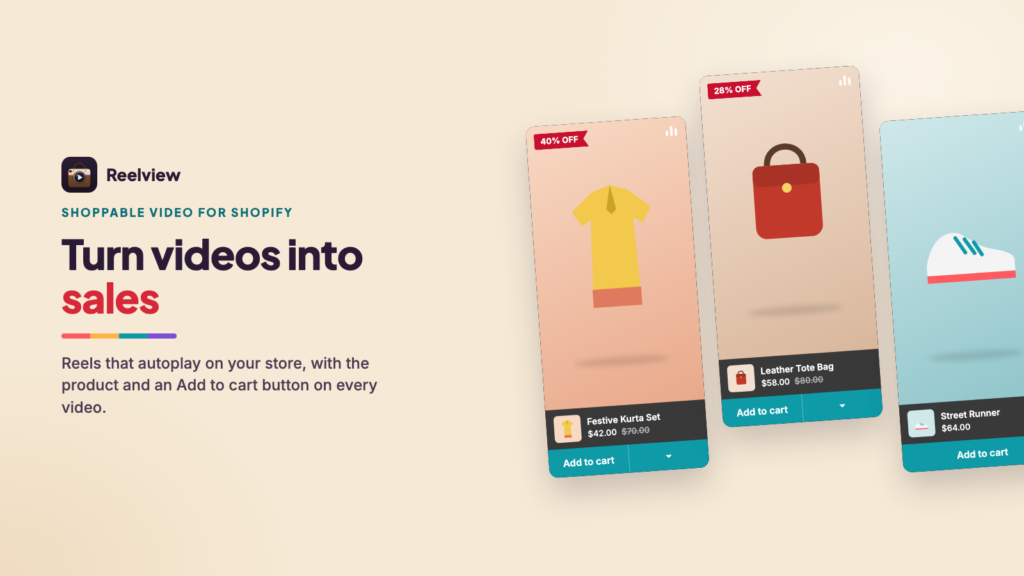
Shoppers already watch short videos all day on Instagram and YouTube. Video shows how a product moves, fits and looks in real life far better than a still photo. ReelView is our Shopify app that brings that format to your store, and lets shoppers buy straight from the video.
The problem it solves
Many brands make great reels for social media, but on their own store those videos sit unused, or play in a player with no way to buy. A shopper who likes what they see has to go and find the product. Every extra step loses some of them.
How ReelView works
- Upload your product videos in the app and turn them into reels.
- Tag the products shown in each video.
- Show the reels on your store as a row of short videos.
- Shoppers watch and buy: they see the tagged products and add them to their cart without leaving the page.
- Analytics: see views, product clicks and add-to-carts for every video.
How it helps different stores
- Fashion and activewear: show how clothes fit and move on a real person.
- Beauty and skincare: show texture, application and results.
- Food and drinks: show a recipe or a pour, with the product one tap away.
- Brands with user-generated content: reuse customer videos as social proof that sells.
- Brands already making reels: get more value from content you’ve already made.
Setting it up in four steps
- Install ReelView from the Shopify App Store.
- Upload a few short product videos and tag the products in each.
- Add the reels block to your homepage or product pages in the Shopify theme editor.
- After a week, check the analytics and put the videos that drive add-to-carts first.
Tips for reels that sell
- Show the product in the first two seconds.
- Keep videos short and vertical, the way people watch on their phones.
- Tag only the products actually shown.
- Use the analytics to drop videos that don’t get clicks.
Pricing
ReelView is free to install, and the free plan includes 500 reel views. Paid plans include more views, full analytics, and unlimited views on the top plan, each with a 14-day free trial. See the current plans on the App Store listing.
Questions
What is a shoppable video?
A video with products tagged in it, so viewers can see the products and add them to their cart without leaving the video.
Can I use my Instagram reels?
Yes. Upload the video files to ReelView and tag the products shown in them.
Can I see which videos make sales?
Yes. ReelView tracks views, product clicks and add-to-carts for every video.
Is ReelView free?
It’s free to install, with 500 reel views included. Paid plans add more views and analytics.
Leave a comment