
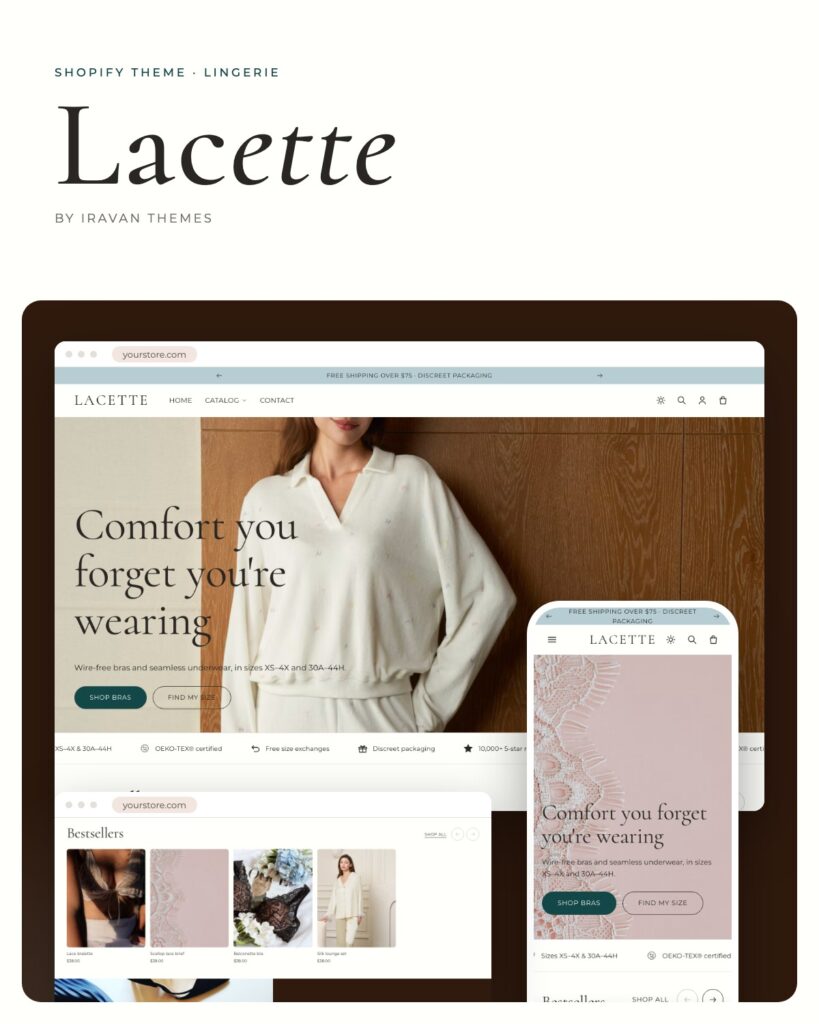
Fit is the hardest part of selling lingerie online. A shopper can’t try a bra on, and many people aren’t sure of their size in the first place. That uncertainty leads to abandoned carts and size-related returns. Most Shopify stores handle it by adding a separate size-quiz or fit app. Lacette builds the fit tools into the theme itself.
What a lingerie store needs from its theme
- A way to find the right size before buying, not after.
- Clear information about support and feel, since two bras in the same size can fit very differently.
- Help choosing a style, for shoppers who don’t know where to start.
- A calm, editorial look that keeps the focus on the product.
- Discreet, reassuring copy about packaging and returns.
How Lacette’s bra fit finder works
The fit finder is a homepage section and is also available from the product page. Shoppers enter two measurements, underbust and bust, in inches or centimetres. The theme works out their size and shows:
- The US size and the UK size, side by side.
- Sister sizes, the neighbouring sizes with the same cup volume, so shoppers have a second option when their size is sold out.
- A button to shop that size.
For example, an underbust of 32 inches and a bust of 37 inches gives 32DD, with sister sizes 30DDD and 34D. Everything runs in the theme, so there’s no extra app to install or pay for each month.
A size guide right where shoppers choose a size
On the product page, the size guide opens from the size picker. It appears on any option named size, band or cup, so it’s there at the moment of choosing. You can keep the built-in guide or point it to your own size chart page.
Support levels and “fit and feel”
Lacette reads a few product metafields and turns them into shopping tools:
- A support-level meter of one to five dots, from a
custom.support_levelmetafield. - Fit and feel tabs below the product, showing fabric feel, best for, fit, materials and care.
- A “Shop by support” section with tabs such as light, medium and full, each with its own product row.
- A product compare section for up to four products side by side, with support level as a row.
A quiz for shoppers who don’t know where to start
The recommendation quiz asks a few short questions, such as how much support the shopper likes and what they’ll wear it under. It then suggests a style and links to the matching collection. You write the questions and results in the theme editor.
Everything else a lingerie store needs
- Bought-together bundles and set or pack upsells for matching sets.
- A slide-out cart with a free-shipping bar, upsells, order notes and gift wrap.
- Pre-order and back-in-stock forms for popular sizes.
- Light and dark modes, plus the Lacette, Blush and Moss style presets.
- A bottom navigation bar on phones.
- Every section editable in the Shopify theme editor, with no code.
Questions
Does Lacette need an app for the bra fit finder?
No. The fit finder, size guide, support meter and quiz are all part of the theme.
Does the fit finder show UK sizes?
Yes. It shows the US and UK size together, plus sister sizes, and accepts inches or centimetres.
Can I use my own size chart?
Yes. Pick your own size chart page in the product settings, or keep the built-in guide and fit finder.
See Lacette and its features, or talk to us about a custom theme.
Leave a comment